CEP Console (7401)
This is the management console for the real-time rule engine. Write, validate, and deploy EQL statements, and see how often deployed statements actually trigger (match count).
| Item | Value |
|---|---|
| Address (TLS) | https://<server-ip>:7401/ |
| Login | PP_CEP_WEB_USER / PP_CEP_WEB_PASSWORD |
| Other access path | Management Console → Tools screen, CEP card |
There is a Java client that connects to the same engine → CEP Client
Screen
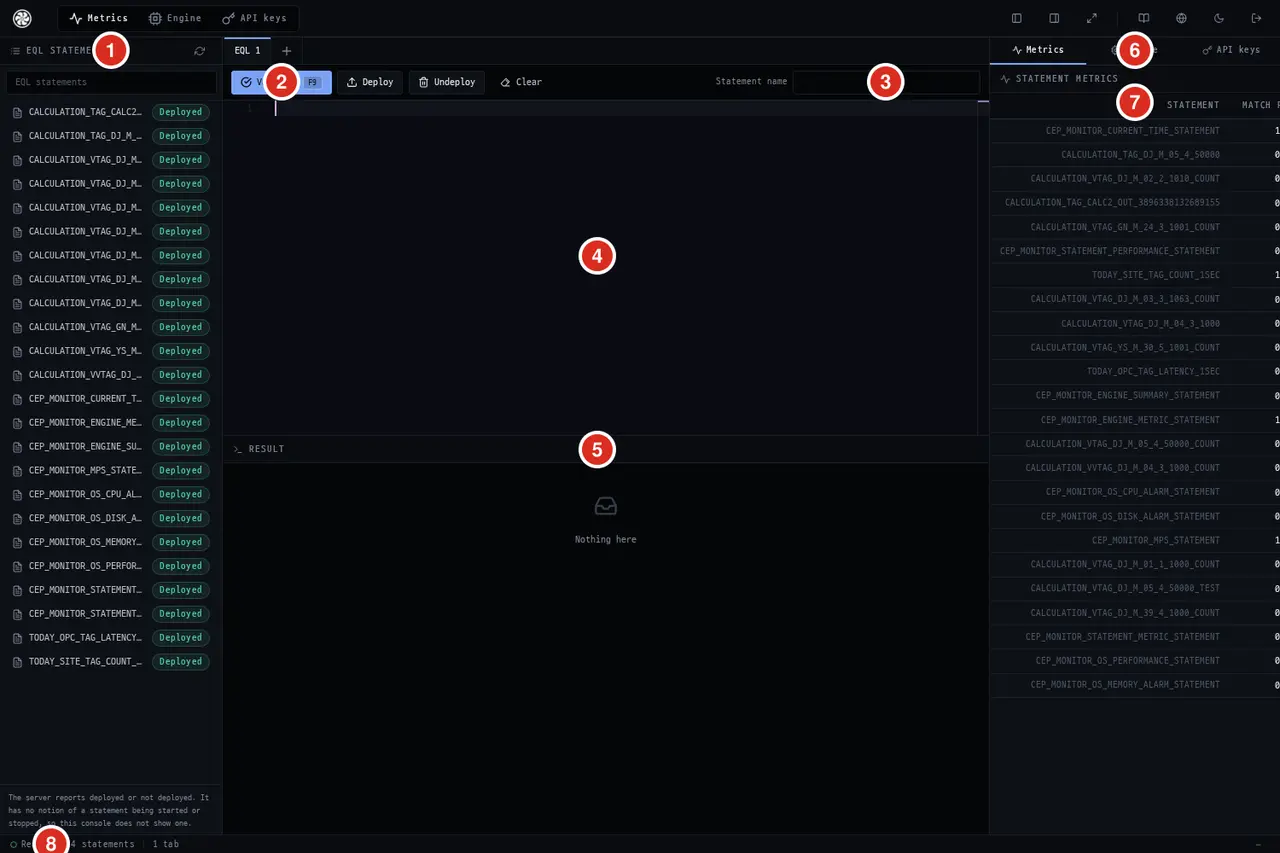
| No. | What |
|---|---|
| ① | EQL statement list — all statements on the server and their deployment status. Searchable |
| ② | Actions — Validate(F9) · Deploy · Undeploy · Clear |
| ③ | Statement name — the name used for deployment. Redeploying with the same name replaces the existing one |
| ④ | Editor — write EQL here. Use tabs to keep multiple statements open at once |
| ⑤ | Results — validation errors or deployment results appear here |
| ⑥ | Right tabs — Metrics · Engine · API Keys |
| ⑦ | Per-statement match count — which rules are actually being hit. Prolonged 0 indicates the rule does not match field conditions |
| ⑧ | Bottom bar — readiness status · statement count · number of open tabs |
The server only knows deployed / not deployed. There is no concept of temporarily pausing a statement, so the console does not have such a button. To stop, use Undeploy.
Workflow
- Decide on a statement name — you will use this name later to find, replace, and remove the statement.
Validate(F9) — the server only compiles it. It does not deploy it.Deploy— upload it to the engine. Once uploaded, it starts matching incoming events immediately.- Check the match count in the right "Metrics" tab — this is the only way to verify it is triggering.
The Deploy in this console attaches to the currently running engine. There is no separate staging phase, so if you deploy a broadly-scoped statement (such as SELECT * FROM Point), all points will pass through the rule from that moment. First check syntax with Validate and narrow your conditions before deploying.
Open a Statement
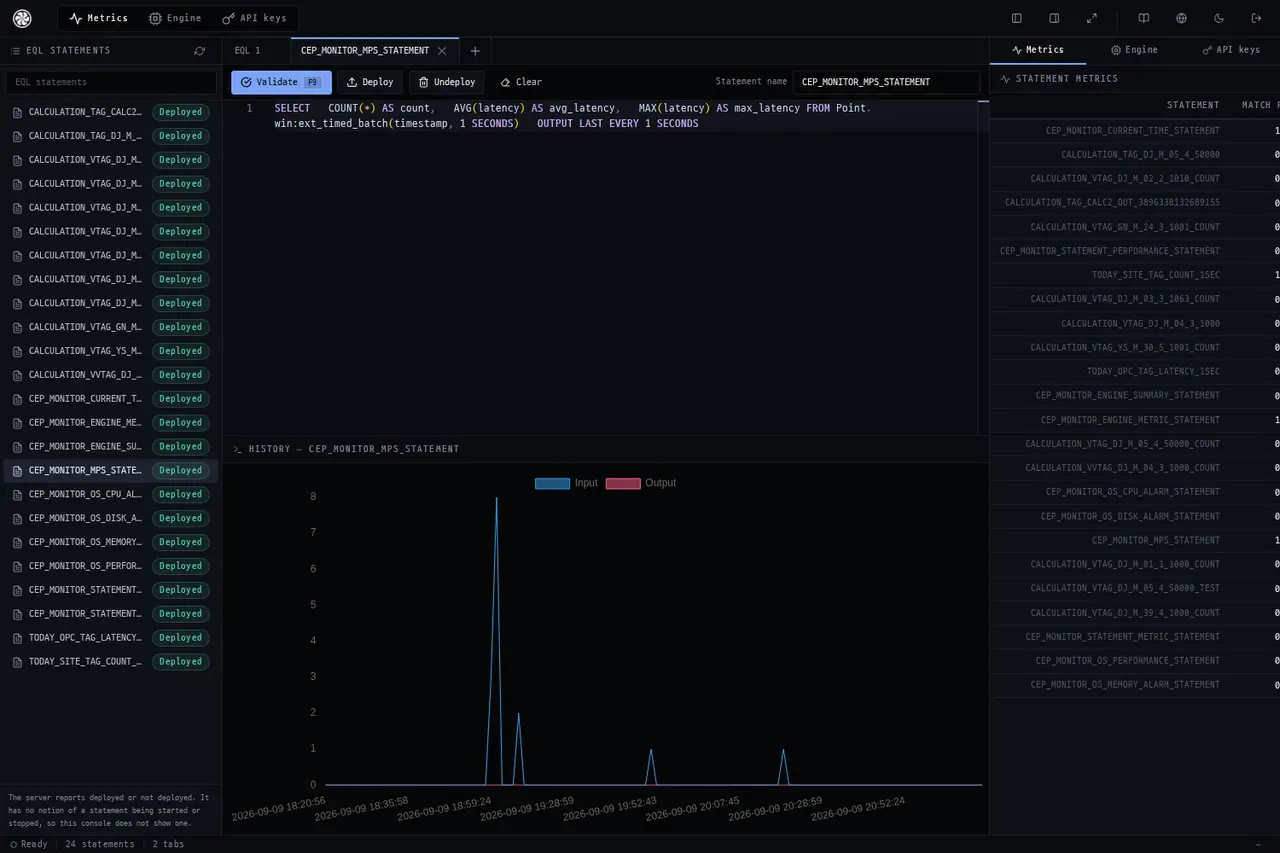
Clicking a statement in the list loads its EQL into the editor. Edit it and Deploy with the same name to replace it.
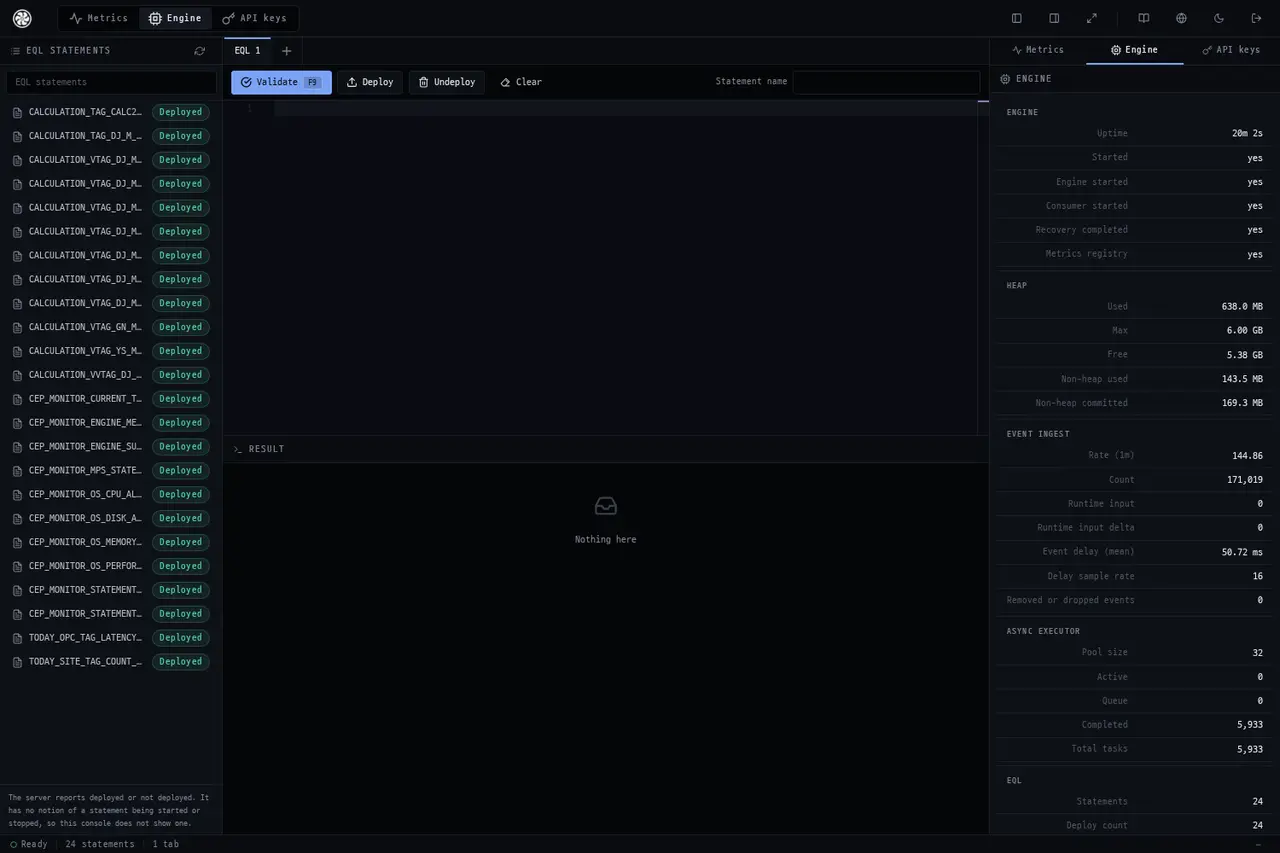
Engine
The engine's own status — throughput and internal metrics.
API Keys
Manage the X-API-Key used when a program calls /api/v1/eql/*.
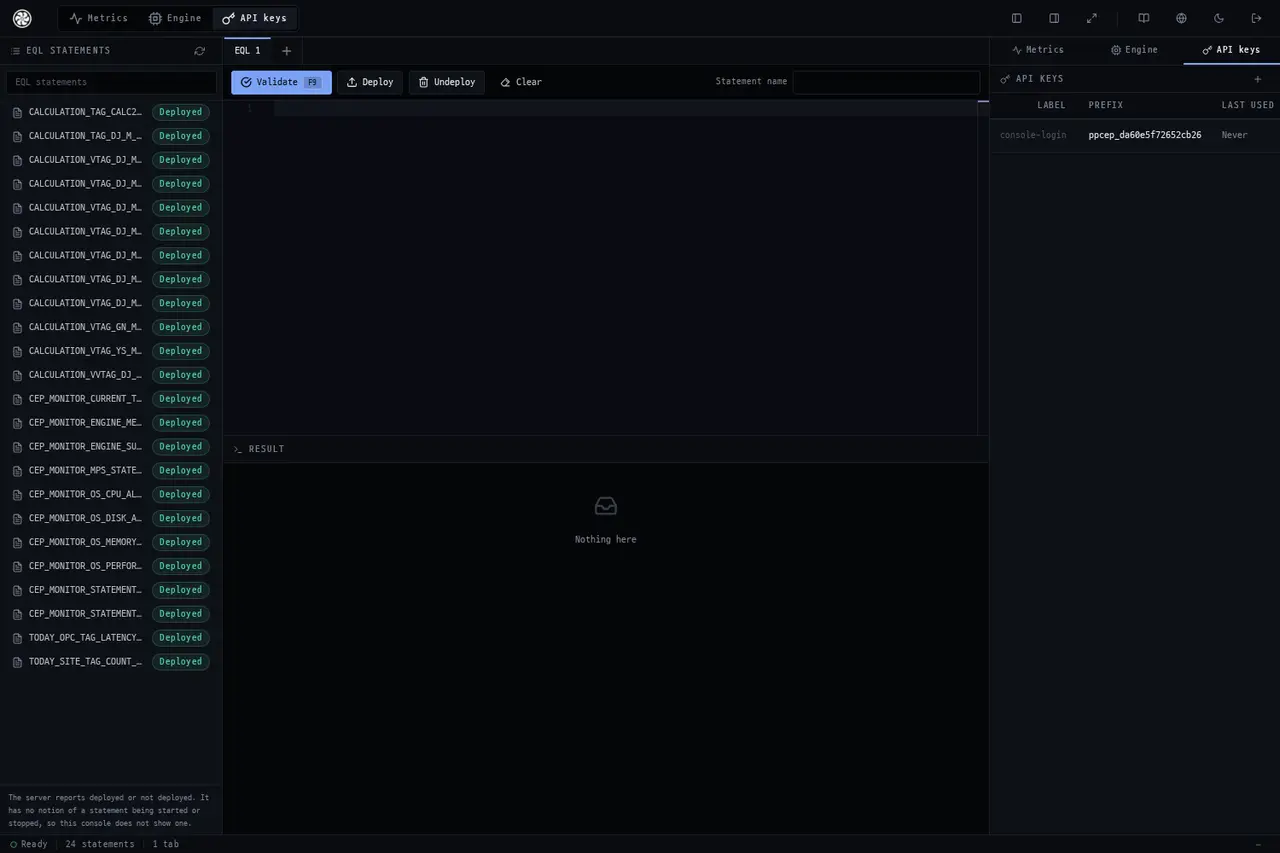
If a client does not provide a key, the header is not attached — this is for compatibility with servers that have authentication turned off, but in production you must have keys set.
See Also
CEP Client · cep Component · EQL Usage Guide · Data Gateway Console